Yep, we may get a tiny thank-you (read: commission) when you buy through
links on Techspotr — not enough for a yacht, but enough to keep the lights (and
servers) on.
Learn more
75
Highlights
43
Differences
6
Reactions
0
Likes
Optoma UHD60
vs
BenQ TK800:
75 Highlights & 43 Differences —
So, Which Projector Actually Works Better
Find out which projector delivers superior audio performance for your entertainment setup.
Not sure which projector is the better fit? This projectors comparison puts Optoma UHD60 vs BenQ TK800 side by side — starting from product type, native resolution, throw ratio & lens material to what users love.
Offers Skin Tone Correction
Enhances natural skin tones for realistic visuals.
with a difference of 40 points
Image Scaling Engine Type: Advanced
Defines the scaling engine used to upscale lower-resolution content to the projector’s native resolution.
with 16 points higher
Noise Reduction Type: Standard
Indicates the technique used to reduce visual noise and artifacts for a cleaner image.
with 1 points higher
Color Wheel Speed (for DLP): 6x
Defines the rotational speed of the DLP color wheel, affecting color accuracy and rainbow artifact reduction.
with 1 points higher
Connectivity & I/O Ports
Has 2 HDMI Ports
Number of HDMI inputs available for digital video and audio.
with 1 points higher
HDMI Version: 2.0
Specifies the supported HDMI standard.
with 1 points higher
Has 1 USB Ports
Indicates how many USB ports are available.
with 1 points higher
USB Type Support: USB-A
Defines the supported USB standards and connector types.
with 1 points higher
AV Composite Input Available
Indicates whether composite video input is available.
with a difference of 40 points
Offers Skin Tone Correction
Enhances natural skin tones for realistic visuals.
with a difference of 40 points
Image Scaling Engine Type: Advanced
Defines the scaling engine used to upscale lower-resolution content to the projector’s native resolution.
with 16 points higher
Noise Reduction Type: Standard
Indicates the technique used to reduce visual noise and artifacts for a cleaner image.
with 1 points higher
Color Wheel Speed (for DLP): 6x
Defines the rotational speed of the DLP color wheel, affecting color accuracy and rainbow artifact reduction.
with 1 points higher
Replacement Lamp Model: Standard Lamp
Defines the type or class of replacement lamp or light module compatible with the projector.
with 1 points higher
Optoma UHD60 vs BenQ TK800: Which 4K Projector Shines Brighter?
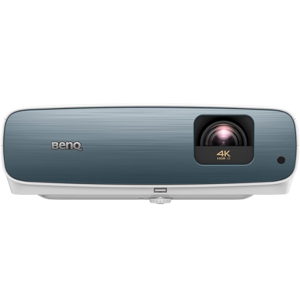
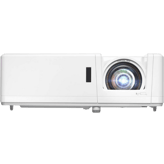
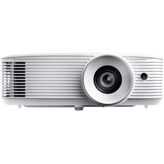
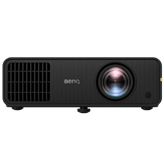
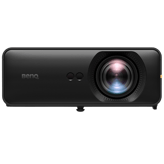
When it comes to immersive home theater experiences, the Optoma UHD60 and the BenQ TK800 emerge as two strong contenders, both boasting 4K resolution enhanced by pixel-shifting technology. They deliver vibrant brightness levels around 3000 lumens, making them well-suited for bright environments and versatile setups. However, their core differences, including throw distance, optical performance, color processing, audio capabilities, and pricing, position them uniquely for different user needs. While the Optoma UHD60 features a longer throw ratio designed for spacious rooms, the BenQ TK800 focuses on shorter throw flexibility, packing advanced image scaling and skin tone correction into a more compact frame. Let's explore these nuances in detail.
The Optoma UHD60: Powerful Presence and Cinema-Optimized Display
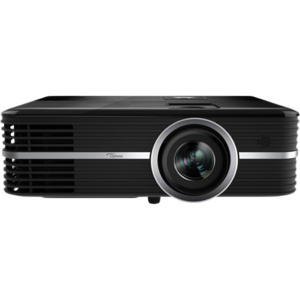
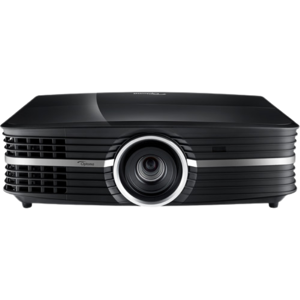
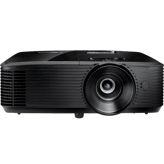
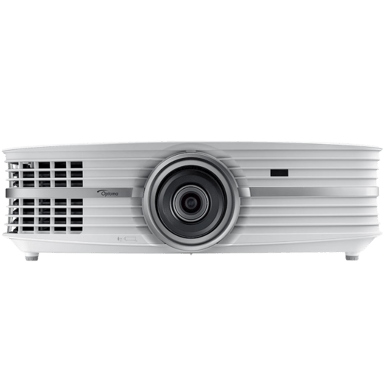
The Optoma UHD60 stands out immediately with its larger build, measuring 19.61 inches wide, offering a substantial, robust presence that's ideal if space allows. Its DLP projection technology delivers crisp native 4K resolution with a refined 2-4 balanced sharpness enhancement, combining with pixel shifting to produce detailed images perfect for cinematic viewing. With a throw ratio ranging from 1.5 to over 2.5, it fits well in larger rooms where the projector can be placed farther from the screen.
One advantageous feature is its combination of 3.5mm and optical audio output ports, providing more connectivity options for audio setups, combined with more powerful 8W internal speakers. While it lacks skin tone correction, it employs a cinema-optimized image scaling engine, tailoring visuals toward film enthusiasts seeking color and contrast optimized for movies. The projector is designed for stability in power consumption too, operating at a lower 305 watts and featuring a modest 0.5W standby power usage. Although it doesn't offer an energy efficiency rating or eco mode, its overall power management remains competitive.
BenQ TK800: Compact, Color-Accurate, and Energy Savvy
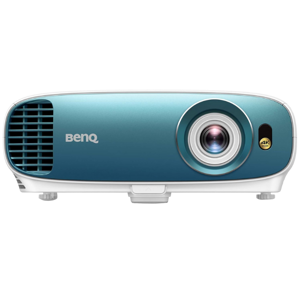
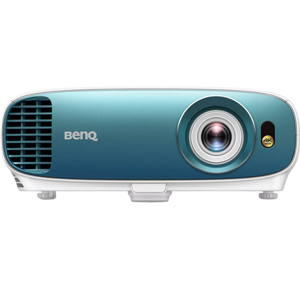
In contrast, the BenQ TK800 carves out a distinctive niche by combining portability and performance. Measuring only 13.9 inches in width and sporting a lighter design, this projector is a natural fit for smaller rooms or users who need to frequently relocate their setup. It supports a shorter throw ratio of 1.0 to 1.5, enabling projection in tighter spaces with a maximum screen size that slightly edges out the Optoma at about 300.18 inches. This flexibility is a considerable advantage for apartment dwellers or those with limited projection distances.
Where the BenQ really shines is in its skin tone correction capabilities, enhancing the realism and accuracy of human colors; a feature absent from the UHD60. It also supports a more advanced image scaling engine, optimized for sharpness and color consistency. Its connectivity is straightforward but effective, though limited to a 3.5mm audio out without optical audio. However, it compensates with Dolby Audio processing paired with integrated 5W speakers, offering improved sound quality even if lower in volume than the Optoma.
On the energy front, the BenQ TK800 earns an Energy Star certification and incorporates an eco mode that reduces power use by 30%. Its quick input switching, taking merely 2 seconds, improves usability for fast scene changes or multi-device setups. These thoughtful considerations make it an excellent choice for environmentally conscious users who won't compromise visual fidelity or responsiveness.
Quick Take
The Optoma UHD60 caters to cinephiles craving a large-throw projector with cinema-optimized image scaling and excellent audio output. Meanwhile, the BenQ TK800 appeals to those seeking a compact, short-throw 4K projector with superior color accuracy, Dolby Audio support, and energy-efficient operation. Both projectors deliver the same brightness levels and 4K pixel-shifting technology, but the BenQ impresses with better value and advanced features for the price.
Bottom Line
If you're looking for a projector that combines versatility, color precision, and energy efficiency in a compact design, the BenQ TK800 is the smarter pick, especially at its more budget-friendly price point of $1077.63 at amazon.com. However, if power and a longer throw range are paramount and you don't mind the premium cost, the Optoma UHD60 with its stronger speakers and cinema-optimized scaling can deliver a more traditional theater feel at about $1999.99 at amazon.com. Ultimately, the BenQ TK800 wins over users seeking maximum features per dollar with natural colors and quick response, while the UHD60 suits dedicated cinema spaces.
Verdict
Winner: BenQ TK800 - Combines excellent 4K brightness, skin tone correction, Dolby Audio, and energy-efficient design all in a compact, affordable package.
Runner-up: Optoma UHD60 - Offers larger throw flexibility, more powerful speakers, and cinema-optimized color processing, but at a substantially higher price.
Side by side. The numbers. The features. No drama.
We compared every major spec, design detail, and performance point between Optoma UHD60 and BenQ TK800. If you’re trying to choose the better projector, this side-by-side projectors review lays out what matters — and what might surprise you.
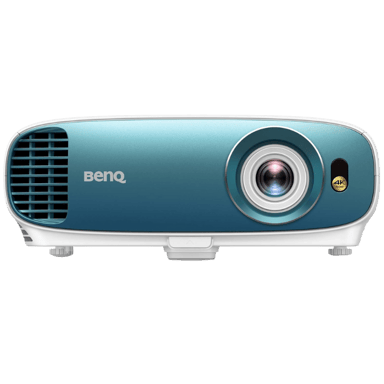
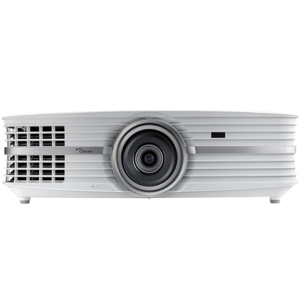
The Color of Optoma UHD60 is White while the BenQ TK800 features White and Blue, offering a difference in aesthetic design to suit personal preferences.
Indicates the color finish of the projector body.
In the battle of Color,
Optoma UHD60 ◉ is
worse than
BenQ TK800 ◉
, delivering
lower
21 score
measurement.
Don’t keep it to yourself — be the first to react and review the
Color on Optoma UHD60 ◉
vs BenQ TK800 ◉ and help others decide!
Frame Interpolation is not supported on either the Optoma UHD60 or the BenQ TK800, meaning neither projector improves motion smoothing through this feature.
Allows smoother motion for sports and fast scenes.
In the battle of Frame Interpolation,
Optoma UHD60 ◉ is
same as
BenQ TK800 ◉
.
Don’t keep it to yourself — be the first to react and review the
Frame Interpolation on Optoma UHD60 ◉
vs BenQ TK800 ◉ and help others decide!
Refresh Rate
What is the refresh rate?
60
Hz
0Votes
60
Hz
0Votes
Optoma UHD60
The projector operates at a 60 Hz refresh rate, which is standard for smooth video playback and compatible with most media sources.
BenQ TK800
The refresh rate is 60 Hz, standard for most video content and suitable for smooth motion in movies and presentations.
Determines motion smoothness for gaming and video.
In the battle of Refresh Rate,
Optoma UHD60 ◉ is
same as
BenQ TK800 ◉
, delivering
equal
60.00 Hz
measurement.
Don’t keep it to yourself — be the first to react and review the
Refresh Rate on Optoma UHD60 ◉
vs BenQ TK800 ◉ and help others decide!
Color Gamut Coverage
What is the color gamut coverage?
Who knows?
0Votes
Optoma UHD60
(Help us out by suggesting one!)
96
%
0Votes
BenQ TK800
The projector covers 96% of the color gamut, delivering vibrant and accurate color reproduction for enhanced image quality.
Indicates percent coverage of color spaces such as Rec.709 or DCI-P3.
Don’t keep it to yourself — be the first to react and review the
Color Gamut Coverage on Optoma UHD60 ◉
vs BenQ TK800 ◉ and help others decide!
HDR Format Support
What HDR formats does this projector support?
44
Optoma UHD60
0Votes
HDR10
45
BenQ TK800
0Votes
HDR10
Optoma UHD60
HDR format support includes HDR10, enhancing contrast and color range for compatible video content.
Specifies which HDR formats the projector can display.
In the battle of HDR Format Support,
Optoma UHD60 ◉ is
worse than
BenQ TK800 ◉
, delivering
lower
1 score
measurement.
Don’t keep it to yourself — be the first to react and review the
HDR Format Support on Optoma UHD60 ◉
vs BenQ TK800 ◉ and help others decide!
Motion Processing Type
Smooth motion processing with level :val.
34
Optoma UHD60
0Votes
2–5 (Standard)
35
BenQ TK800
0Votes
2–5 (Standard)
Optoma UHD60
Motion processing is set to standard with a range of 2 to 5, balancing motion clarity and avoiding the artificial soap opera effect.
What is the motion processing level?
In the battle of Motion Processing Type,
Optoma UHD60 ◉ is
worse than
BenQ TK800 ◉
, delivering
lower
1 score
measurement.
Don’t keep it to yourself — be the first to react and review the
Motion Processing Type on Optoma UHD60 ◉
vs BenQ TK800 ◉ and help others decide!
Maximum Supported Resolution
What is the maximum supported resolution of this projector?
74
Optoma UHD60
0Votes
4K
75
BenQ TK800
0Votes
4K
The highest resolution signal the projector can accept.
In the battle of Maximum Supported Resolution,
Optoma UHD60 ◉ is
worse than
BenQ TK800 ◉
, delivering
lower
1 score
measurement.
Don’t keep it to yourself — be the first to react and review the
Maximum Supported Resolution on Optoma UHD60 ◉
vs BenQ TK800 ◉ and help others decide!
Peak ANSI Lumens
What is the peak ANSI lumens of this projector?
3,000
lumen
0Votes
3,000
lumen
0Votes
Industry-standard brightness measurement using ANSI method.
In the battle of Peak ANSI Lumens,
Optoma UHD60 ◉ is
same as
BenQ TK800 ◉
, delivering
equal
3,000.00 lumen
measurement.
Don’t keep it to yourself — be the first to react and review the
Peak ANSI Lumens on Optoma UHD60 ◉
vs BenQ TK800 ◉ and help others decide!
Dynamic Lumens
What is the dynamic lumens rating?
Who knows?
0Votes
Optoma UHD60
(Help us out by suggesting one!)
3,000
lumen
0Votes
Measures boosted brightness in enhanced dynamic modes.
Don’t keep it to yourself — be the first to react and review the
Dynamic Lumens on Optoma UHD60 ◉
vs BenQ TK800 ◉ and help others decide!
Contrast Ratio
What is the contrast ratio of this projector?
0
Optoma UHD60
0Votes
1,000,000:1
0
BenQ TK800
0Votes
10,000:1
Represents the difference between the darkest black and brightest white produced by the projector.
In the battle of Contrast Ratio,
Optoma UHD60 ◉ is
same as
BenQ TK800 ◉
.
Don’t keep it to yourself — be the first to react and review the
Contrast Ratio on Optoma UHD60 ◉
vs BenQ TK800 ◉ and help others decide!
Dynamic Contrast Ratio
Deep dynamic contrast at :val.
0
Optoma UHD60
0Votes
1,000,000:1
0
BenQ TK800
0Votes
10,000:1–50,000:1
What is the dynamic contrast ratio?
In the battle of Dynamic Contrast Ratio,
Optoma UHD60 ◉ is
same as
BenQ TK800 ◉
.
Don’t keep it to yourself — be the first to react and review the
Dynamic Contrast Ratio on Optoma UHD60 ◉
vs BenQ TK800 ◉ and help others decide!
Color Bit Depth
What is the color bit depth?
Who knows?
0Votes
Optoma UHD60
(Help us out by suggesting one!)
10
bit
0Votes
Determines how finely color gradients are rendered.
Don’t keep it to yourself — be the first to react and review the
Color Bit Depth on Optoma UHD60 ◉
vs BenQ TK800 ◉ and help others decide!
HDR Peak Brightness
What is the HDR peak brightness?
Who knows?
0Votes
Optoma UHD60
(Help us out by suggesting one!)
3,000
lumen
0Votes
How bright the projector can go during HDR highlights.
Don’t keep it to yourself — be the first to react and review the
HDR Peak Brightness on Optoma UHD60 ◉
vs BenQ TK800 ◉ and help others decide!
Throw Ratio differs, with Optoma UHD60 having a range of 1.5–2.5+ (Long Throw) and BenQ TK800 at 1.0–1.5 (Standard), affecting projector placement flexibility.
What is the throw ratio?
In the battle of Throw Ratio,
Optoma UHD60 ◉ is
worse than
BenQ TK800 ◉
, delivering
lower
21 score
measurement.
Based on community votes for Throw Ratio,
Optoma UHD60 ◉ earned
1 votes,
more than
BenQ TK800 ◉,
which got 0 votes.
Who knows?
0Votes
Optoma UHD60
(Help us out by suggesting one!)
Who knows?
0Votes
BenQ TK800
(Help us out by suggesting one!)
vs
Keystone Correction Horizontal
Keystone Correction Horizontal is unavailable ('n/a') for Optoma UHD60 versus 0 degrees for BenQ TK800, indicating BenQ provides some horizontal correction capability.
Horizontal angle adjustment to correct image distortion.
Don’t keep it to yourself — be the first to react and review the
Keystone Correction Horizontal on Optoma UHD60 ◉
vs BenQ TK800 ◉ and help others decide!
The Screen Size Maximum is approximately 300 inch for Optoma UHD60 and slightly larger at 300.18 inch for BenQ TK800, offering near identical maximum image sizes.
Largest supported diagonal projection size.
In the battle of Screen Size Maximum,
Optoma UHD60 ◉ is
worse than
BenQ TK800 ◉
, delivering
lower
0.2 inch
measurement.
Don’t keep it to yourself — be the first to react and review the
Screen Size Maximum on Optoma UHD60 ◉
vs BenQ TK800 ◉ and help others decide!
Screen Size Minimum
What is the minimum supported screen size?
33
inch
0Votes
29.96
inch
0Votes
Optoma UHD60
The minimum screen size supported is 33 inches (approximately 83.82 cm), suitable for smaller projection surfaces.
BenQ TK800
The minimum screen size supported is 29.96 inches (76.1 cm), indicating the smallest image the projector can display effectively.
Smallest supported diagonal projection size.
In the battle of Screen Size Minimum,
Optoma UHD60 ◉ is
worse than
BenQ TK800 ◉
, delivering
higher
3.0 inch
measurement.
Don’t keep it to yourself — be the first to react and review the
Screen Size Minimum on Optoma UHD60 ◉
vs BenQ TK800 ◉ and help others decide!
Minimum Throw Distance
What is the minimum throw distance?
Who knows?
0Votes
Optoma UHD60
(Help us out by suggesting one!)
3.8
ft
0Votes
BenQ TK800
The minimum throw distance is 3.8 feet (1.16 meters), which defines how close the projector can be placed to the screen while projecting a clear image.
Closest usable distance between projector and screen.
Don’t keep it to yourself — be the first to react and review the
Minimum Throw Distance on Optoma UHD60 ◉
vs BenQ TK800 ◉ and help others decide!
Maximum Throw Distance
What is the maximum throw distance?
Who knows?
0Votes
Optoma UHD60
(Help us out by suggesting one!)
32.1
ft
0Votes
BenQ TK800
The maximum throw distance of 32.1 feet (9.78 meters) indicates how far the projector can be placed from the screen while still producing a clear large image.
Maximum distance at which the projector can achieve a proper image.
Don’t keep it to yourself — be the first to react and review the
Maximum Throw Distance on Optoma UHD60 ◉
vs BenQ TK800 ◉ and help others decide!
Keystone Correction Vertical
What is the vertical keystone correction?
40
degree
0Votes
40
degree
0Votes
Optoma UHD60
Vertical keystone correction can adjust the image up to 40 degrees, helping to correct projection angle distortions easily.
Vertical angle adjustment to correct image distortion.
In the battle of Keystone Correction Vertical,
Optoma UHD60 ◉ is
same as
BenQ TK800 ◉
, delivering
equal
40.00 degree
measurement.
Don’t keep it to yourself — be the first to react and review the
Keystone Correction Vertical on Optoma UHD60 ◉
vs BenQ TK800 ◉ and help others decide!
Lens Shift Vertical
What is the vertical lens shift?
Who knows?
0Votes
Optoma UHD60
(Help us out by suggesting one!)
4
%
0Votes
BenQ TK800
The vertical lens shift of 4% allows you some flexibility in adjusting the image position vertically without physically moving the projector.
Vertical lens movement for distortion-free positioning.
Don’t keep it to yourself — be the first to react and review the
Lens Shift Vertical on Optoma UHD60 ◉
vs BenQ TK800 ◉ and help others decide!
Lens Shift Horizontal
What is the horizontal lens shift?
15
%
0Votes
Who knows?
0Votes
BenQ TK800
(Help us out by suggesting one!)
Optoma UHD60
Horizontal lens shift allows image adjustment horizontally by up to 15%, providing installation flexibility without physical repositioning.
Horizontal lens movement to fine-tune placement.
Don’t keep it to yourself — be the first to react and review the
Lens Shift Horizontal on Optoma UHD60 ◉
vs BenQ TK800 ◉ and help others decide!
Digital Zoom Level
Useful zoom reaching :valx.
34
Optoma UHD60
0Votes
1.6x (Entry)
20
BenQ TK800
0Votes
1.1x (Entry)
Optoma UHD60
Digital zoom capability at 1.6x allows moderate zooming without significant quality loss, useful for adjusting image size after installation.
What is the digital zoom level?
In the battle of Digital Zoom Level,
Optoma UHD60 ◉ is
better than
BenQ TK800 ◉
, delivering
higher
14 score
measurement.
Don’t keep it to yourself — be the first to react and review the
Digital Zoom Level on Optoma UHD60 ◉
vs BenQ TK800 ◉ and help others decide!
Projection Alignment Type
What is the projection alignment type?
54
Optoma UHD60
0Votes
Front
55
BenQ TK800
0Votes
Front
Optoma UHD60
Projection alignment is designed for front projection setups, the most common installation type.
Describes how the projector aligns with the screen.
In the battle of Projection Alignment Type,
Optoma UHD60 ◉ is
worse than
BenQ TK800 ◉
, delivering
lower
1 score
measurement.
Don’t keep it to yourself — be the first to react and review the
Projection Alignment Type on Optoma UHD60 ◉
vs BenQ TK800 ◉ and help others decide!
Auto Keystone
Does this projector support auto keystone?
No
0Votes
Optoma UHD60
Yes
0Votes
BenQ TK800
Automatically corrects keystone distortion.
In the battle of Auto Keystone,
Optoma UHD60 ◉ is
worse than
BenQ TK800 ◉
.
Don’t keep it to yourself — be the first to react and review the
Auto Keystone on Optoma UHD60 ◉
vs BenQ TK800 ◉ and help others decide!
Optical Zoom Level
High-quality optical zoom at :valx.
84
Optoma UHD60
0Votes
1.6x–2.1x (High-end)
45
BenQ TK800
0Votes
1.2x–1.5x (Standard)
What is the optical zoom level?
In the battle of Optical Zoom Level,
Optoma UHD60 ◉ is
better than
BenQ TK800 ◉
, delivering
higher
39 score
measurement.
Don’t keep it to yourself — be the first to react and review the
Optical Zoom Level on Optoma UHD60 ◉
vs BenQ TK800 ◉ and help others decide!
Lens Replacement Compatibility is not supported by either the Optoma UHD60 or BenQ TK800, limiting upgrade options.
Indicates whether the projector's lens can be replaced or upgraded.
In the battle of Lens Replacement Compatibility,
Optoma UHD60 ◉ is
same as
BenQ TK800 ◉
.
Don’t keep it to yourself — be the first to react and review the
Lens Replacement Compatibility on Optoma UHD60 ◉
vs BenQ TK800 ◉ and help others decide!
Lens Coating Type
What is the lens coating type?
84
Optoma UHD60
0Votes
Anti-Reflective
85
BenQ TK800
0Votes
Anti-Reflective
Defines special coatings that enhance optical performance.
In the battle of Lens Coating Type,
Optoma UHD60 ◉ is
worse than
BenQ TK800 ◉
, delivering
lower
1 score
measurement.
Don’t keep it to yourself — be the first to react and review the
Lens Coating Type on Optoma UHD60 ◉
vs BenQ TK800 ◉ and help others decide!
Aperture Size
What is the aperture size?
Who knows?
0Votes
Optoma UHD60
(Help us out by suggesting one!)
Who knows?
0Votes
BenQ TK800
(Help us out by suggesting one!)
Specifies the optical aperture size affecting brightness and depth.
Don’t keep it to yourself — be the first to react and review the
Aperture Size on Optoma UHD60 ◉
vs BenQ TK800 ◉ and help others decide!
Auto Focus
Does this projector support auto focus?
No
0Votes
Optoma UHD60
No
0Votes
BenQ TK800
Indicates whether the projector can automatically adjust focus.
In the battle of Auto Focus,
Optoma UHD60 ◉ is
same as
BenQ TK800 ◉
.
Don’t keep it to yourself — be the first to react and review the
Auto Focus on Optoma UHD60 ◉
vs BenQ TK800 ◉ and help others decide!
Manual Focus Range
What is the manual focus range?
54
Optoma UHD60
0Votes
Manual ring focus
Who knows?
0Votes
BenQ TK800
(Help us out by suggesting one!)
Indicates the distance range manual focus can adjust for.
Don’t keep it to yourself — be the first to react and review the
Manual Focus Range on Optoma UHD60 ◉
vs BenQ TK800 ◉ and help others decide!
Lens Motor Noise Level
What is the lens motor noise level?
Who knows?
0Votes
Optoma UHD60
(Help us out by suggesting one!)
Who knows?
0Votes
BenQ TK800
(Help us out by suggesting one!)
Measures noise generated during lens adjustments.
Don’t keep it to yourself — be the first to react and review the
Lens Motor Noise Level on Optoma UHD60 ◉
vs BenQ TK800 ◉ and help others decide!
Lens Protection Cover
Does this projector include a lens protection cover?
No
0Votes
Optoma UHD60
No
0Votes
BenQ TK800
Indicates whether the lens includes a physical protection cover.
In the battle of Lens Protection Cover,
Optoma UHD60 ◉ is
same as
BenQ TK800 ◉
.
Don’t keep it to yourself — be the first to react and review the
Lens Protection Cover on Optoma UHD60 ◉
vs BenQ TK800 ◉ and help others decide!
Color Temperature options of Warm, Neutral, Cool, and Custom are identical on both Optoma UHD60 and BenQ TK800, allowing similar color tuning.
Defines the visual warmth or coolness profile of the projected image.
In the battle of Color Temperature,
Optoma UHD60 ◉ is
worse than
BenQ TK800 ◉
, delivering
lower
1 score
measurement.
Don’t keep it to yourself — be the first to react and review the
Color Temperature on Optoma UHD60 ◉
vs BenQ TK800 ◉ and help others decide!
Light Source Lifetime Normal Mode
What is the light source lifetime in normal mode?
4,000
hour
0Votes
4,000
hour
0Votes
Optoma UHD60
The light source lifetime in normal mode is approximately 4000 hours, reflecting typical durability for lamp-based projectors before requiring replacement.
BenQ TK800
The expected light source lifetime in normal mode is 4000 hours, indicating how long the lamp can operate before replacement is likely needed under standard usage.
Estimated lifespan in standard usage mode.
In the battle of Light Source Lifetime Normal Mode,
Optoma UHD60 ◉ is
same as
BenQ TK800 ◉
, delivering
equal
4,000.00 hour
measurement.
Don’t keep it to yourself — be the first to react and review the
Light Source Lifetime Normal Mode on Optoma UHD60 ◉
vs BenQ TK800 ◉ and help others decide!
Light Source Replaceability
Can the light source be replaced?
Yes
0Votes
Optoma UHD60
Yes
0Votes
BenQ TK800
Optoma UHD60
Light source replaceability is available, meaning users can replace the lamp unit to extend the projector's usable life.
BenQ TK800
The light source is replaceable, allowing for lamp replacement instead of replacing the entire projector, which can reduce long-term costs.
Indicates whether users can replace the light source.
In the battle of Light Source Replaceability,
Optoma UHD60 ◉ is
same as
BenQ TK800 ◉
.
Don’t keep it to yourself — be the first to react and review the
Light Source Replaceability on Optoma UHD60 ◉
vs BenQ TK800 ◉ and help others decide!
Light Source Lifetime Eco Mode
What is the light source lifetime in eco mode?
15,000
hour
0Votes
10,000
hour
0Votes
Optoma UHD60
Light source lifetime in eco mode is 15000 hours, greatly extending usage between lamp replacements when operating efficiently.
Estimated lifespan of the light source in eco mode.
In the battle of Light Source Lifetime Eco Mode,
Optoma UHD60 ◉ is
better than
BenQ TK800 ◉
, delivering
higher
5,000.0 hour
measurement.
Don’t keep it to yourself — be the first to react and review the
Light Source Lifetime Eco Mode on Optoma UHD60 ◉
vs BenQ TK800 ◉ and help others decide!
Light Source Type
What is the light source type?
34
Optoma UHD60
0Votes
Lamp
35
BenQ TK800
0Votes
Lamp
Defines the illumination technology powering the projector.
In the battle of Light Source Type,
Optoma UHD60 ◉ is
worse than
BenQ TK800 ◉
, delivering
lower
1 score
measurement.
Don’t keep it to yourself — be the first to react and review the
Light Source Type on Optoma UHD60 ◉
vs BenQ TK800 ◉ and help others decide!
Cool-Down Time
What is the cool-down time?
Who knows?
0Votes
Optoma UHD60
(Help us out by suggesting one!)
120
second
0Votes
Time required before the projector safely powers off.
Don’t keep it to yourself — be the first to react and review the
Cool-Down Time on Optoma UHD60 ◉
vs BenQ TK800 ◉ and help others decide!
Light Flicker Control
Does this projector include light flicker control?
No
0Votes
Optoma UHD60
Yes
0Votes
BenQ TK800
Indicates whether flicker reduction technology is implemented.
In the battle of Light Flicker Control,
Optoma UHD60 ◉ is
worse than
BenQ TK800 ◉
.
Don’t keep it to yourself — be the first to react and review the
Light Flicker Control on Optoma UHD60 ◉
vs BenQ TK800 ◉ and help others decide!
What type of audio out port does this projector have?
39
Optoma UHD60
1Votes
3.5mm, Optical
15
BenQ TK800
0Votes
3.5mm
vs
Audio Out Port Type
Audio Out Port Type for Optoma UHD60 includes 3.5mm and Optical, while BenQ TK800 has only 3.5mm, offering Optoma slightly more audio output flexibility.
Indicates available audio output interfaces.
In the battle of Audio Out Port Type,
Optoma UHD60 ◉ is
better than
BenQ TK800 ◉
, delivering
higher
24 score
measurement.
Based on community votes for Audio Out Port Type,
Optoma UHD60 ◉ earned
1 votes,
more than
BenQ TK800 ◉,
which got 0 votes.
SD Card Slot is not present on either Optoma UHD60 or BenQ TK800, limiting direct media playback options.
Indicates ability to read media directly from SD cards.
In the battle of SD Card Slot,
Optoma UHD60 ◉ is
same as
BenQ TK800 ◉
.
Don’t keep it to yourself — be the first to react and review the
SD Card Slot on Optoma UHD60 ◉
vs BenQ TK800 ◉ and help others decide!
HDMI Ports Count
How many HDMI ports does this projector have?
44
Optoma UHD60
0Votes
2
45
BenQ TK800
0Votes
2
Optoma UHD60
The projector has two HDMI ports, supporting multiple high-definition source connections.
BenQ TK800
There are 2 HDMI ports available, providing multiple options for connecting HD video sources such as Blu-ray players, gaming consoles, or streaming devices.
Number of HDMI inputs available for digital video and audio.
In the battle of HDMI Ports Count,
Optoma UHD60 ◉ is
worse than
BenQ TK800 ◉
, delivering
lower
1 score
measurement.
Don’t keep it to yourself — be the first to react and review the
HDMI Ports Count on Optoma UHD60 ◉
vs BenQ TK800 ◉ and help others decide!
HDMI Version
What HDMI version does this projector support?
61
Optoma UHD60
0Votes
2.0
62
BenQ TK800
0Votes
2.0
Optoma UHD60
HDMI version 2.0 is supported, allowing high-definition video and audio transfer with features such as 4K support at 60 Hz.
This ensures compatibility with most modern source devices.
Specifies the supported HDMI standard.
In the battle of HDMI Version,
Optoma UHD60 ◉ is
worse than
BenQ TK800 ◉
, delivering
lower
1 score
measurement.
Don’t keep it to yourself — be the first to react and review the
HDMI Version on Optoma UHD60 ◉
vs BenQ TK800 ◉ and help others decide!
USB Ports Count
How many USB ports does this projector have?
27
Optoma UHD60
0Votes
1
28
BenQ TK800
0Votes
1
Optoma UHD60
There is one USB port, allowing connection with USB storage devices or peripherals.
Indicates how many USB ports are available.
In the battle of USB Ports Count,
Optoma UHD60 ◉ is
worse than
BenQ TK800 ◉
, delivering
lower
1 score
measurement.
Don’t keep it to yourself — be the first to react and review the
USB Ports Count on Optoma UHD60 ◉
vs BenQ TK800 ◉ and help others decide!
12V Trigger Port
Does this projector have a 12V trigger port?
Yes
0Votes
Optoma UHD60
No
0Votes
BenQ TK800
Optoma UHD60
The 12V trigger port allows automatic triggering of external devices like motorized screens when the projector powers on.
Used to control motorized screens and automation systems.
In the battle of 12V Trigger Port,
Optoma UHD60 ◉ is
better than
BenQ TK800 ◉
, delivering
higher
40 score
measurement.
Don’t keep it to yourself — be the first to react and review the
12V Trigger Port on Optoma UHD60 ◉
vs BenQ TK800 ◉ and help others decide!
Wired Input Lag
What is the wired input lag?
Who knows?
0Votes
Optoma UHD60
(Help us out by suggesting one!)
50
ms
0Votes
BenQ TK800
The wired input lag is 50 milliseconds, a measure that affects responsiveness in gaming and fast-motion video; this lag is generally acceptable for casual gaming.
Measures latency over wired connections, important for gaming.
Don’t keep it to yourself — be the first to react and review the
Wired Input Lag on Optoma UHD60 ◉
vs BenQ TK800 ◉ and help others decide!
USB Type Support
What USB types are supported?
34
Optoma UHD60
0Votes
USB-A
35
BenQ TK800
0Votes
USB-A
Defines the supported USB standards and connector types.
In the battle of USB Type Support,
Optoma UHD60 ◉ is
worse than
BenQ TK800 ◉
, delivering
lower
1 score
measurement.
Don’t keep it to yourself — be the first to react and review the
USB Type Support on Optoma UHD60 ◉
vs BenQ TK800 ◉ and help others decide!
Ethernet Port
Does this projector support Ethernet?
Yes
0Votes
Optoma UHD60
Yes
0Votes
BenQ TK800
Indicates whether wired internet connectivity is available.
In the battle of Ethernet Port,
Optoma UHD60 ◉ is
same as
BenQ TK800 ◉
.
Don’t keep it to yourself — be the first to react and review the
Ethernet Port on Optoma UHD60 ◉
vs BenQ TK800 ◉ and help others decide!
Optical Audio Output
Does this projector include an optical audio output?
Yes
0Votes
Optoma UHD60
Yes
0Votes
BenQ TK800
Indicates availability of optical audio interface for high-quality sound systems.
In the battle of Optical Audio Output,
Optoma UHD60 ◉ is
same as
BenQ TK800 ◉
.
Don’t keep it to yourself — be the first to react and review the
Optical Audio Output on Optoma UHD60 ◉
vs BenQ TK800 ◉ and help others decide!
Wireless Input Lag
What is the wireless input lag?
Who knows?
0Votes
Optoma UHD60
(Help us out by suggesting one!)
Who knows?
0Votes
BenQ TK800
(Help us out by suggesting one!)
Measures latency when receiving content wirelessly.
Don’t keep it to yourself — be the first to react and review the
Wireless Input Lag on Optoma UHD60 ◉
vs BenQ TK800 ◉ and help others decide!
Microphone Input is not supported by either Optoma UHD60 or BenQ TK800, so neither can directly accommodate a microphone.
Indicates whether microphones can be connected for presentations or karaoke.
In the battle of Microphone Input,
Optoma UHD60 ◉ is
same as
BenQ TK800 ◉
.
Don’t keep it to yourself — be the first to react and review the
Microphone Input on Optoma UHD60 ◉
vs BenQ TK800 ◉ and help others decide!
Speaker Configuration
What is the speaker configuration?
64
Optoma UHD60
0Votes
Stereo
65
BenQ TK800
0Votes
Stereo
Optoma UHD60
The audio system has stereo speakers for stereo sound reproduction.
Describes the speaker layout inside the projector.
In the battle of Speaker Configuration,
Optoma UHD60 ◉ is
worse than
BenQ TK800 ◉
, delivering
lower
1 score
measurement.
Don’t keep it to yourself — be the first to react and review the
Speaker Configuration on Optoma UHD60 ◉
vs BenQ TK800 ◉ and help others decide!
DTS Audio
Does this projector support DTS audio?
No
0Votes
Optoma UHD60
Yes
0Votes
BenQ TK800
BenQ TK800
DTS Audio support is included, which enhances audio quality and can provide surround sound effects when supported content and audio systems are used.
Indicates whether DTS audio decoding is available.
In the battle of DTS Audio,
Optoma UHD60 ◉ is
worse than
BenQ TK800 ◉
.
Don’t keep it to yourself — be the first to react and review the
DTS Audio on Optoma UHD60 ◉
vs BenQ TK800 ◉ and help others decide!
Fan Noise Level
What is the fan noise level?
27
dB
0Votes
33
dB
0Votes
Optoma UHD60
The projector's fan noise level is at 27 dB, which is relatively quiet and suitable for home theater environments where low noise is important for an immersive viewing experience.
Measures ambient noise from the projector fan.
In the battle of Fan Noise Level,
Optoma UHD60 ◉ is
better than
BenQ TK800 ◉
, delivering
lower
6.0 dB
measurement.
Don’t keep it to yourself — be the first to react and review the
Fan Noise Level on Optoma UHD60 ◉
vs BenQ TK800 ◉ and help others decide!
Sound Modes
What sound modes are available?
87
Optoma UHD60
0Votes
Movie, Game
85
BenQ TK800
0Votes
Movie, Music, Game
Preset audio profiles optimized for different content.
In the battle of Sound Modes,
Optoma UHD60 ◉ is
better than
BenQ TK800 ◉
, delivering
higher
2 score
measurement.
Don’t keep it to yourself — be the first to react and review the
Sound Modes on Optoma UHD60 ◉
vs BenQ TK800 ◉ and help others decide!
On-Screen Menu Features for Optoma UHD60 include Quick Settings, Advanced Settings, and Icon-Based Menu compared to QuickSettings and AdvancedSettings on BenQ TK800, with a slightly richer interface on Optoma.
Describes navigational and functional features available inside the on-screen display (OSD) menu.
In the battle of On-Screen Menu Features,
Optoma UHD60 ◉ is
worse than
BenQ TK800 ◉
, delivering
lower
1 score
measurement.
Don’t keep it to yourself — be the first to react and review the
On-Screen Menu Features on Optoma UHD60 ◉
vs BenQ TK800 ◉ and help others decide!
Mounting Type for Optoma UHD60 is Tabletop only, while BenQ TK800 supports both Tabletop and Ceiling mounting, providing more installation flexibility.
Describes available mounting configurations.
In the battle of Mounting Type,
Optoma UHD60 ◉ is
worse than
BenQ TK800 ◉
, delivering
lower
6 score
measurement.
Based on community votes for Mounting Type,
Optoma UHD60 ◉ earned
0 votes,
less than
BenQ TK800 ◉,
which got 1 votes.
Operating Temperature Minimum is 41°F for Optoma UHD60 compared to a lower 32°F for BenQ TK800, favoring BenQ for cooler environments.
Minimum safe temperature at which the projector can operate.
In the battle of Operating Temperature Minimum,
Optoma UHD60 ◉ is
worse than
BenQ TK800 ◉
, delivering
higher
9.0 °F
measurement.
Don’t keep it to yourself — be the first to react and review the
Operating Temperature Minimum on Optoma UHD60 ◉
vs BenQ TK800 ◉ and help others decide!
Who knows?
0Votes
Optoma UHD60
(Help us out by suggesting one!)
30
%
0Votes
vs
Eco Mode Power Reduction Percentage
Eco Mode Power Reduction Percentage is unspecified for Optoma UHD60 and 30% for BenQ TK800, meaning BenQ offers better power savings in eco mode.
Amount of power saved when using eco mode.
Don’t keep it to yourself — be the first to react and review the
Eco Mode Power Reduction Percentage on Optoma UHD60 ◉
vs BenQ TK800 ◉ and help others decide!
Operating Humidity Range is 10–85% non-condensing for Optoma UHD60 versus 10–90% for BenQ TK800, allowing BenQ a bit more humidity tolerance during use.
Acceptable humidity levels for proper operation.
In the battle of Operating Humidity Range,
Optoma UHD60 ◉ is
worse than
BenQ TK800 ◉
, delivering
lower
6 score
measurement.
Don’t keep it to yourself — be the first to react and review the
Operating Humidity Range on Optoma UHD60 ◉
vs BenQ TK800 ◉ and help others decide!
Storage Humidity Range is 5–95% non-condensing for Optoma UHD60 and narrower at 10–90% for BenQ TK800, giving Optoma a slight advantage in storage conditions.
Humidity levels tolerated during storage.
In the battle of Storage Humidity Range,
Optoma UHD60 ◉ is
better than
BenQ TK800 ◉
, delivering
higher
4 score
measurement.
Don’t keep it to yourself — be the first to react and review the
Storage Humidity Range on Optoma UHD60 ◉
vs BenQ TK800 ◉ and help others decide!
Dust Resistance Rating is None for both Optoma UHD60 and BenQ TK800, indicating no special protection against dust ingress.
Indicates how well the projector resists dust intrusion.
In the battle of Dust Resistance Rating,
Optoma UHD60 ◉ is
same as
BenQ TK800 ◉
.
Don’t keep it to yourself — be the first to react and review the
Dust Resistance Rating on Optoma UHD60 ◉
vs BenQ TK800 ◉ and help others decide!
Operating Temperature Maximum
What is the maximum operating temperature?
104
°F
0Votes
104
°F
0Votes
Optoma UHD60
The maximum operating temperature is 104 °F (approximately 40 °C). The projector is designed to function reliably within this thermal range.
BenQ TK800
The maximum operating temperature is 104°F (40°C), indicating the projector can handle warm environments but should not be exposed to higher temperatures to prevent overheating.
Maximum safe temperature for normal operation.
In the battle of Operating Temperature Maximum,
Optoma UHD60 ◉ is
same as
BenQ TK800 ◉
, delivering
equal
104.00 °F
measurement.
Don’t keep it to yourself — be the first to react and review the
Operating Temperature Maximum on Optoma UHD60 ◉
vs BenQ TK800 ◉ and help others decide!
Storage Temperature Minimum
What is the minimum storage temperature?
-4
°F
0Votes
-4
°F
0Votes
BenQ TK800
The storage minimum temperature is -4°F (-20°C), showing that the projector can handle cold storage conditions without damage.
Minimum safe temperature for storing the projector.
In the battle of Storage Temperature Minimum,
Optoma UHD60 ◉ is
same as
BenQ TK800 ◉
, delivering
equal
-4.00 °F
measurement.
Don’t keep it to yourself — be the first to react and review the
Storage Temperature Minimum on Optoma UHD60 ◉
vs BenQ TK800 ◉ and help others decide!
Storage Temperature Maximum
What is the maximum storage temperature?
140
°F
0Votes
140
°F
0Votes
Optoma UHD60
The maximum storage temperature is 140 °F (about 60 °C), indicating safe conditions for storing the projector without damage.
Maximum temperature the projector can handle when stored.
In the battle of Storage Temperature Maximum,
Optoma UHD60 ◉ is
same as
BenQ TK800 ◉
, delivering
equal
140.00 °F
measurement.
Don’t keep it to yourself — be the first to react and review the
Storage Temperature Maximum on Optoma UHD60 ◉
vs BenQ TK800 ◉ and help others decide!
Light Spill Control
Does this projector have light spill control?
No
0Votes
Optoma UHD60
No
0Votes
BenQ TK800
BenQ TK800
Light spill control is not featured, so some light may spill outside the screen area in darker viewing conditions.
Indicates measures used to contain unwanted light scatter.
In the battle of Light Spill Control,
Optoma UHD60 ◉ is
same as
BenQ TK800 ◉
.
Don’t keep it to yourself — be the first to react and review the
Light Spill Control on Optoma UHD60 ◉
vs BenQ TK800 ◉ and help others decide!
Outdoor Use
Does this projector support outdoor use?
No
0Votes
Optoma UHD60
No
0Votes
BenQ TK800
Specifies whether the projector is designed for outdoor environments.
In the battle of Outdoor Use,
Optoma UHD60 ◉ is
same as
BenQ TK800 ◉
.
Don’t keep it to yourself — be the first to react and review the
Outdoor Use on Optoma UHD60 ◉
vs BenQ TK800 ◉ and help others decide!
 Supermod
 Moderator


 Recaptor
 0
Cartling
0
Cartling
 0
Cartling
0
Cartling